Home / Blog / iA Cast Weekly

#iACast 36 – #CSUNATC17 Highlights

CSUN AT Conference Feb 27 -March 4 2017

Each year, the California State University at Northridge, (CSUN) holds a conference on assistive technology. On this episode of the podcast, Jason Earls, Jeff Bishop from the ACB and Michael Doise discuss what they feel are the highlights, and here are the topics that were discussed.

Exhibit Hall Highlights

Session Highlights

Along with the exhibit hall, CSUN AT conference 2017 contained several sessions including pre-conference sessions. Here were the discussed highlights.

  • Several sessions listed in the agenda were on topics that were not represented well in the agenda, meaning that people would go in expecting to learn about a specific topic and would be presented with other information.
  • Session on the Blind Arduino Project. We will feature this topic here on iAccessibility.net soon.
  • AbleGamers discussed a session on the state of accessible gaming with modified controllers for games in the room.
  • Twitch.tv had a session on the current state of accessibility on Twitch.
  • Many of the sessions were geared towards education or on the implementation of WICAG 2.0 standards in websites.

We hope that you have enjoyed this episode of the iA Cast. Please leave us feedback at feedback@iaccessibility.net with questions, suggestions and comments for future episodes.

#iACast 35 – Hands Free Purchasing Power

Image of Amazon Tap on white background

Welcome to our latest episode of the iA Cast. This week we discuss the following topics.

We will have one more episode this week and then we will have new content fresh from the CSUN 2017 conference

We are looking for new ways to bring you into the conversation, and we encourage people to join us for the podcast recording on TeamTalk at teamtalk.iaccessibility.net. We only ask that you mute while we record the podcast.

We hope that you have enjoyed this episode. Please email us at feedback@iaccessibility.net for suggestions or to leave comments or feedbac.

#iACast 34 – iA DemoCast 2: The Braille Challenge

The Braille Challenge logo with letters B and C in white on a blue background over the Alexa Skills icon template.

Last year we released the Braille Challenge skill to the Alexa Skills Store. Join Michael as he demonstrates the use of this skill in this episode of the iA DemoCast.

You can find the Braille challenge at the following link.
The Braille Challenge – Alexa Skills Store

#iACast 33 – DemoCast 1: Software Updates on macOS Sierra

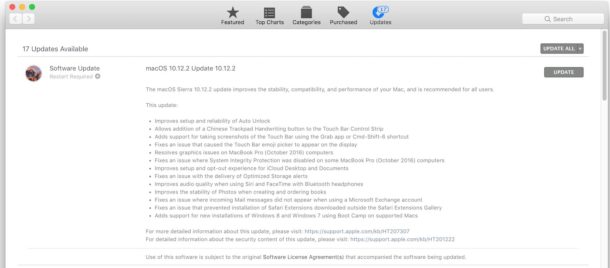
Mac OS App Store Software Updates

Welcome to the very first iA DemoCast! In this episode, Matt Dierckens will walk you through updating software on macOS Sierra, using Apple’s built-in screen reader, VoiceOver. We hope you find this demonstration useful; if you have topics you would like to see covered on the DemoCast, please let us know! As always, thank you for listening!

#iACast 32 – Our Favorite Tech from CES 2017

CES 2017

We weren’t there, but we were all excited to see what new tech would be unveiled at CES 2017. From the useful to the ridiculous, we were reading all about it. Check out this episode of the #iACast to see what products we found the most interesting.

Computing and Media

Many computers were shown off at CES – from the cheap, to high-end gaming laptops – but we only picked one as being truly worth mentioning, as it is nothing like the rest. We also put televisions, and smartphones in this category. Check out our favorites below.

  • Razer Project ValerieThis prototype was the most interesting one we saw covered at CES; apparently others agree, as it was stolen at the show. What makes it different? Well, it’s a 17 inch gaming laptop, that manages to fit 3 17 inch displays into one laptop! Cool, right?Razer Project Valerie is a gaming laptop with three screens
  • LG W7 ultrathin OLEDIs it wall art, or is it a television? Actually, it’s both. This gorgeous OLED TV is so thin, just 0.15 inches when mounted,, it’s actually flexible. In fact, HDMI and other inputs, as well as power and sound are managed with the included sound bar, that connects to the TV with a thin ribbon cable. This thing is incredible, and it should be, since it starts at $8,000!LG’s amazing W7 ultrathin OLED is wall art that happens to be a TV
  • Sony Xperia ProjectorYou know what the problem is with smartphones? They are designed to be viewed by one person at a time. I mean, sure you could send the video to a TV, but what if there isn’t a TV nearby? This projector solves that problem, by allowing you to project a 23 inch touch screen onto any flat surface. You can even use it as a traditional projector, with view-only support up to 80 inches. It’s really cool, and useful.Sony Xperia Projector turns any table, counter or wall into an Android smartphone, minus the whole calling thing

Home Security

The goal of a smart home is to simplify your life, by automating tasks you do frequently, and allowing access to devices even when you are away. A good smart home, however, should also improve security. So, that’s what this section is all about! Smart gadgets have a high starting cost, but unlike traditional security systems, maintaining them is much cheaper. Check out our security favorites below!

  • D-Link OmnaThere are many indoor home security cameras on the market, and even some others that integrate with Apple’s HomeKit platform. However, what makes this camera special is that it does not require a cloud recording subscription. Instead, you can store files locally on an SD card – this cuts down on monthly subscription costs. Note: You can store files in the cloud if you choose. The camera also records 1080p video, can see up to 16 feet in the dark, and has a 180 degree field of view.D-Link Omna opens Siri’s eyes at CES 2017
  • Ring Floodlight CamNow, this is just a great idea! Ring already has cameras you can mount outdoors, with 2-way audio and HD video recording. The Floodlight Cam, however, takes this to the next level by replacing your current floodlights with smarter ones. Just like with the other cameras offered by Ring, you can see and speak to anyone who is on your property, but you can also control integrated floodlighting and sound an alarm to alert your neighbors to suspicious activity. Want one yet? We do!Introducing the New Ring Floodlight Cam
  • ShadeCraft SunflowerIt’s more than just an umbrella! The Sunflower uses solar energy to track the sun’s movement, and keep you protected and comfortable. It has integrated wifi, and LTE. So, you can take it to the beach and use it as a wifi hotspot for your other devices. You can then charge those devices with the USB port on the umbrella, enjoy your music with the integrated speakers, and control the umbrella and your smart home with voice commands. Wait, how is this a security device? As if all those features weren’t enough, the Sunflower also has lighting and cameras. You can keep an eye on your property, or watch the kids while they play in the pool! Does thing have a kitchen sink, too? Just saying! Wow!ShadeCraft Sunflower solar patio umbrella follows the sun at CES 2017
  • AuraLook mom, no cameras! If you aren’t comfortable with wifi-enabled cameras, potentially recording your every move, and vulnerable to hacking, Aura has you covered. Instead of using traditional motion sensors and cameras, the Aura is a security system that uses radio waves to detect movement, even through walls. You’ll get fewer, if any, false alerts, and the system will automatically turn off when an authorized user arrives home. Pretty neat, right?Aura Protects Your Entire Home Without Using Cameras

Other Devices

There were many devices covered at CES that were just… weird. One example of this is a bluetooth-enabled toaster, which you can control from your smartphone. Why? Just because you can, doesn’t mean you should! Another example is a hair brush that monitors how well you brush your hair. Again, why? A third example is a connected shower, which you can set while still in bed, or wherever you might be… This may be useful for some, but at this point we don’t see the usefulness of it. Maybe it’s good for lazy people? Hmmm.

This category is for devices, which we found interesting, but which did not fit into the categories above. Some are on the verge of fitting into the category of weird things introduced at CES, but others are useful. Check them out below.

  • Simplehuman’s new trash cansSeveral smart trash cans were unveiled at CES – some track what you’re throwing away, others make use of your leftovers. However, we found these trash cans most interesting, because they are the most affordable, and there are versions available without internet connectivity. You can purchase versions with included wifi, which will order new trash bags for you, but there are versions with simple voice commands and motion sensing. It upgrades the trash can without making your trash can, of all things, too intrusive.Simplehuman’s new trash cans have voice commands and Wi-Fi
  • Incipio CommandKit smart power stripAt $100, this is an expensive power strip, but it integrates with both HomeKit and Amazon Alexa! With 4 outlets, which you can control individually, this product is a great choice for those with multiple products to control. As an added bonus, you can also monitor energy usage. Nice touch!Incipio CommandKit smart power strip works with both HomeKit and Amazon Echo
  • Flying Selfie CamIf you didn’t like selfie sticks, you probably won’t be a fan of this flying selfie cam. It can follow its user, and it will return to its position if bumped. It’s definitely on the weird side, but it would be cool to at least see one in action.The flying selfie camera that follows you everywhere (and won’t get pushed around)

And that’s our coverage of CES 2017! We’re sure we missed some awesome products, since we were simply following media coverage. What do you think of the products listed here? Do you think anything shouldn’t have been listed? What about things we didn’t cover. Do you have a favorite CES product not on this list? Let us know!

As always, thank you for listening to the #iACast! Please subscribe for more episodes, and check us out online at iAccessibility.net!

#iACast 31 – Celebrating 10 Years of iPhone

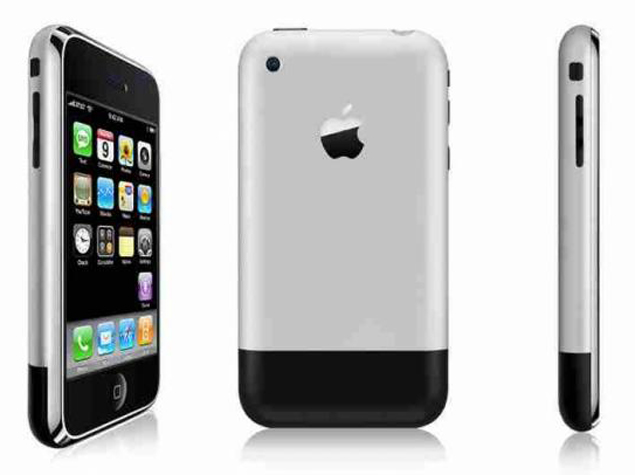
First iPhone from 3 angles front, back and side.

In this episode of the #iACast, which was recorded on January 11, 2017, join Michael, Daniel, Ashley, Jason, and Matt as they discuss the impact Apple’s iPhone has had on the world, and on their lives.

A Note about Capacitive Touch Screens

There was some confusion about how capacitive touch screens work. Touch input on the iPhone has nothing to do with body heat; instead, capacitive touch screens can work with anything that holds an electrical charge, including human skin. When you touch your iPhone’s screen, an electrical circuit is completed, and then the coordinates of that touch are translated by the iPhone. For more information, check out this helpful article: Okay, but how do touch screens actually work?

Jessica’s iPhone Story

In this episode, everyone explained how they found out about the iPhone, and their journey as it relates to smartphones. Since I, Jessica, was not on the podcast, the group asked me to detail my experiences in the show notes.

When I first heard about the iPhone, I thought people were silly for running out and paying a bunch of money for a slab of glass. I couldn’t understand how anyone would want to use a touch screen phone, much less someone, like myself, who is low vision. I figured it would register a bunch of accidental touches, and that I would struggle to see the interface. I only knew one person with the first iPhone, and I had a brief experience with it when she showed me some pictures. As I swiped through the pictures, pinching to zoom in and out as needed, I briefly considered it as an option. However, that thought quickly vanished when I remembered how expensive the phone was, and that it was not available on Verizon. So, I continued for nearly 4 years on my quest to find a cell phone that would meet my needs as a low vision user. I constantly looked on Verizon’s website for new phones, and watched phone reviews on YouTube, looking for what might be my dream phone. I had flip phones, and messaging phones, and I even owned a couple of Windows Mobile smartphones. They all fell short. In 2009, when I heard the iPhone had a screen reader, I was blown away. I still couldn’t see how anyone who was low vision or blind would want to use it, but I was intrigued. I hunted down some podcasts, and listened to some demonstrations of people using VoiceOver. It seemed neat, but typing seemed slow and time consuming. Nevertheless, I purchased a 3rd Generation iPod Touch in November of 2009. I was slow to catch on, but by the end of 2010, I carried it with me everywhere. Then, it happened – Verizon got the iPhone in 2011, and I immediately upgraded to the iPhone 4. I’ve had an iPhone ever sense, and it has, without a doubt, changed my life. Thanks to zoom and VoiceOver, I can easily use my phone for anything and everything a fully-sighted person can do. I text, take pictures, send and receive email, use social media, and so much more. It is amazing! It has also made the world around me more accessible. I use it as a magnifier, to read my mail and cooking instructions, and I even use it to set my thermostat. I can use it to see things that are far away from me, and if I need some help seeing something, family members and friends are a FaceTime call away! The iPhone is a game changer for those of us with disabilities, and for the world as a whole.

iPhone Announcement

Steve Jobs unveiled the iPhone at Mac World on January 9, 2007. He said it was a phone, an iPod, and an internet communication device. Check out that announcement below.

As always, thank you for checking out #iACast! We hope you’ve enjoyed this episode! Please share it with friends, and come back to iAccessibility.net for more of your accessible technology needs!

#iACast 30 – UnboxCast 5: Logitech Z623

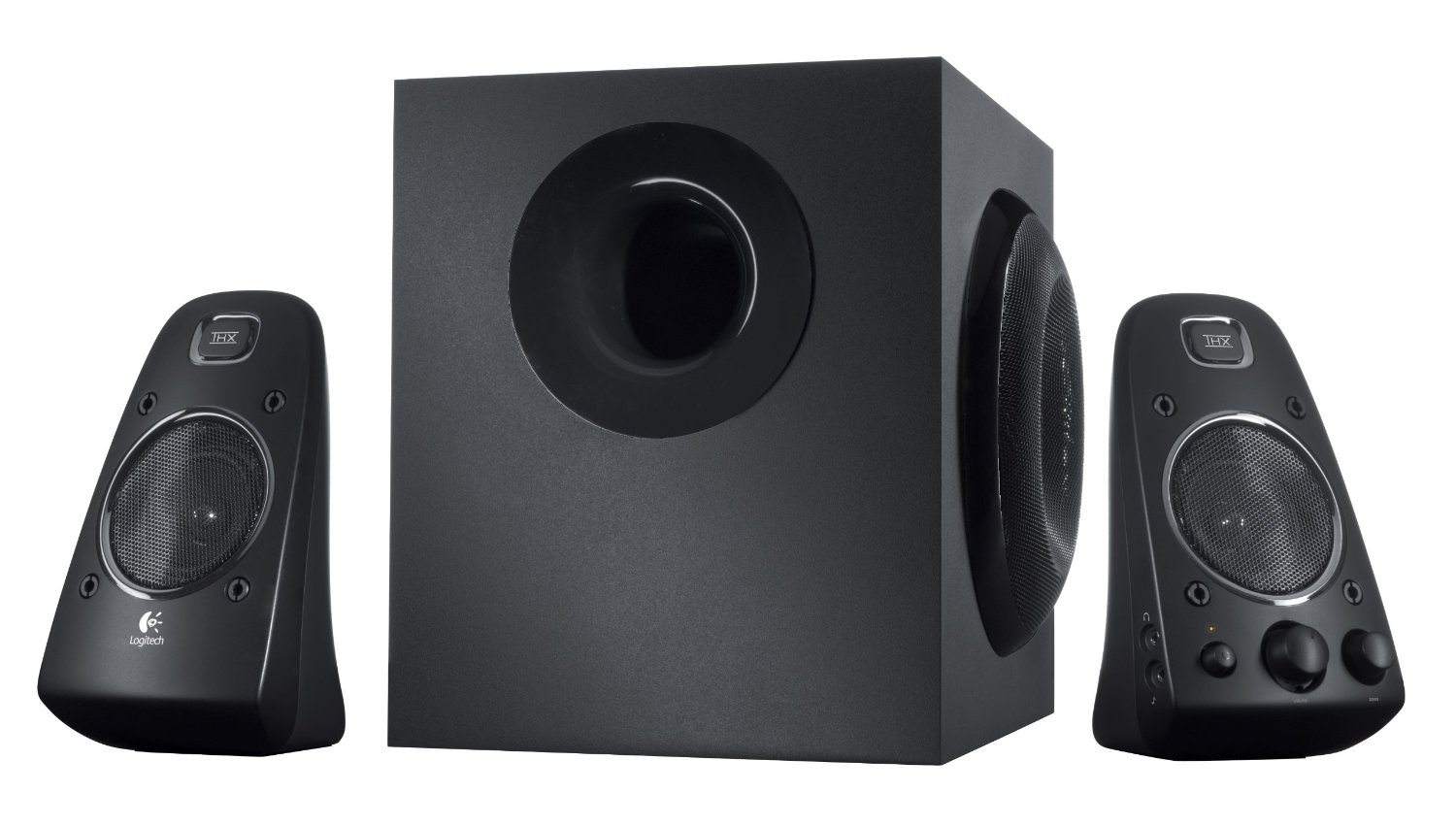
Logitech Z623 speekers

In this UnboxCast, you’ll accompany Michael as he unboxes his new speakers, the Logitech Z623. Ashley, Jessica, and Daniel are also present, and are able to give some additional insight into why someone may still want these speakers, even though there are much newer products on the market. This podcast was recorded on January 4, 2017; we hope you enjoy it!

#iACast 29 – UnboxCast 4: AirPods

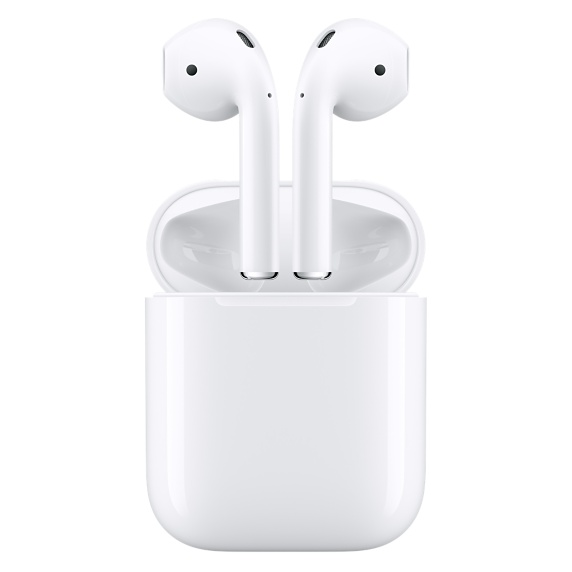
Apple AirPods in charging case

Join Michael, Jessica, Rich, and Daniel as they discuss Apple’s AirPods, and hear Daniel and Michael unbox theirs live on the podcast! Get the scoop on what it’s like to setup and use these new wireless headphones. Are their any issues? Are the AirPods worth the hype? You’ll find out in this episode, which was recorded on December 22, 2016. Enjoy!

#iACast 28 – The Future is NOW

DirectTV Now

This podcast was recorded on December 1, 2016, and it is hosted by Michael Doise. Accompanying Michael on this episode is Jason Earls, and Jessica Smith.

This episode covers the following topics:

  1. Black Friday/Cyber Monday DealsIn this segment, we discuss our holiday spending and deals we found interesting.
  2. W1-Enabled HeadphonesIn this segment, we discuss Beats and Apple’s AirPods.
  3. Directv NowAll three of us subscribed to AT&T’s new Directv Now service. Listen to us compare its accessibility and ease-of-use to other services, and hear our opinion on the service as a whole.
  4. Why Unlimited Data isn’t Always GoodIf you can stream Directv Now as much a you want as an AT&T cellular subscriber, why isn’t that good for consumers? What about consumers with other networks? What about other services that want to compete with Directv Now? Hear us discuss these issues and more.
  5. iAccessibility NewsCheck out iAccessibility.net for all the details on app betas, our training program, and more.

We sincerely hope you enjoy the content covered in this episode of our podcast! We have more content in the editing process, and we can’t wait to share it all with you soon! Thank you for listening!

#iACast 27 – Backdoor

iAccessibility Logo

Hello, and welcome to another delayed edition of our podcast! We are hopeful that our schedule will be a little more regular soon, so we hope you all are sticking with us. In this episode, which was recorded on November 16, 2016, we cover the following topics:

  • A Backdoor to ChinaHow would you feel if you found out that your text messages, location data, and private information were being sent to China for analysis? Unfortunately, if you own a cheaper android phone, or if you are an international customer, this could be a reality for you. The worst part is you may never know if your phone is affected, and the software that does this was put there on purpose by the manufacturer. Whoa!Your User Data is Secretly Sent to China Through a Backdoor on Some US Android Phones
  • Microsoft Joins Linux FoundationThis surprised a few members of our team. Apparently, Microsoft is reversing course on its opinion of Linux. This is especially interesting, because some of Microsoft’s choices still contradict the choice to join the Linux Foundation. We think it will be interesting to see what the future holds in this regard.Microsoft – Yes, Microsoft – Joins the Linux Foundation
  • Visual Studio Invades the MacNow developers can develop cross-platform applications using Visual Studio on macOS. Although our group finds Xcode to be the best IDE for developing Mac and iOS apps, we believe choice is always good. Hopefully this will allow more developers more flexibility in how and which operating system they use while developing apps.Announcing the new Visual Studio for Mac
  • MacBook Pro with Touch Bar ReviewsIt’s all pretty mixed! Some think the Touch Bar is useful, while others think a touch screen would make more sense. We believe the usefulness of the Touch Bar depends on how you use your computer, and which apps support it. We think it will become more useful over time as mor uses are found for it, and the price will decrease as well. You should definitely feel free to check out reviews online, and if you have a store nearby, check out these new machines in an Apple Store.The Reviews are in — Here’s What People are Saying About Apple’s Latest Laptop
  • First Impressions of Apple’s AirPodsWhat will it be like to use the long-awaited Airpods? What is latency like? Will they work well with VoiceOver? Well, most of us have yet to find out any of this first-hand, since the AirPods have not been released! However, lucky members of the media have been testing AirPods, and we have read a little information from one of our favorite websites, iMore. Here’s the link!AirPods First Impressions
  • We’re All About the TV AppListen to us discuss what it’s like to use theupcoming TV app on the iPhone, iPad, and Apple TV. We think this is a great addition to our TV-watching experience. We find it frustrating that some services, like Netflix, refuse to participate. However, it’s a great start, and we can’t wait to see how it improves in the near future.3 Ways Apple’s New TV App Will Change the Viewing Experience on Apple TV
  • Prevention is Always Better Than Reaction: Twitter is Finally Getting the PictureFinally, Twitter is introducing new features to help users prevent abuse. Muting keywords, usernames, and conversations is now a little easier. We think this is a good step in the right direction, but that Twitter should be doing more to help users have a more positive experience on the social network.Twitter is Adding New Filtering Tools in an Effort to Curb Abuse
  • Is the Google Home worth Ditching the Echo?On our website, you will find Rich’s impressions of the new Google Home smart speaker. He immediately returned his. Would you have done the same? Do you think it replaces the Amazon Echo? Overall, we think it sounds neat, but it is very much a first-generation product. We think it could still be an option for users who are in the Google ecosystem, but if the Echo meets your needs, we recommend sticking with Alexa.Google Home First impressions
  • VO Starter – Public Beta!We welcome anyone who wants to join us in testing version 3.0 of the VO Starter application for iOS. It is a great resource for blind an low vision users who are new to iOS, and you could help us help them learn to use VoiceOver.VO Starter 3.0 Public Beta

Thank you all for checking out our podcast! Please share it with others, and tweet using the hashtag #IACast. Please visit us online at iaccessibility.net, and check out all we have to offer!

#iACast 26 – Dial It Up

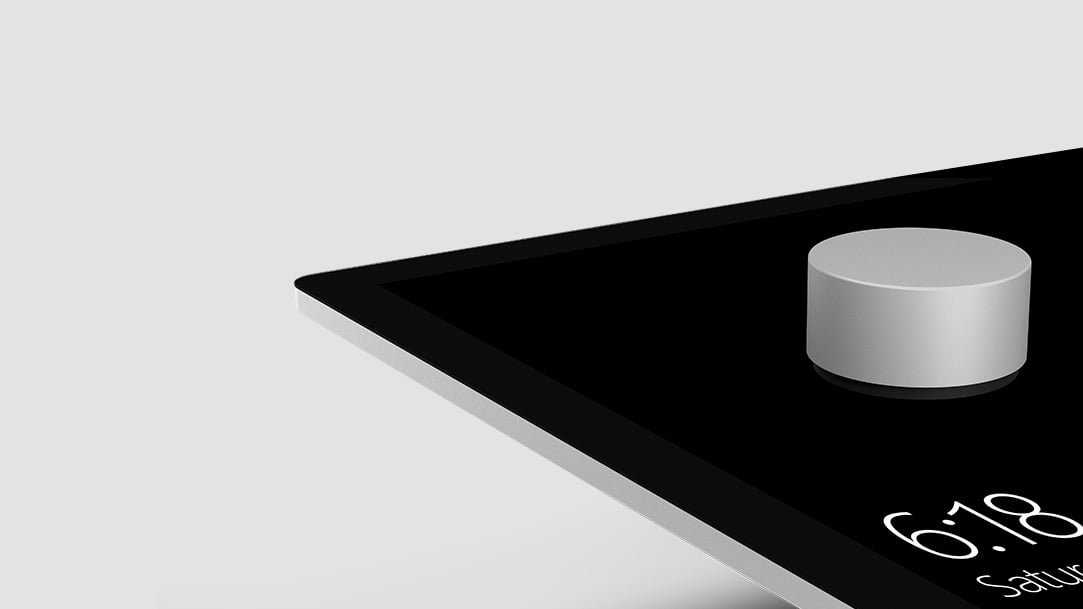
Image of Surface Dial on top of a touch screen displaying the time.

Welcome to episode 26 of the #IACast! This episode was recorded on November 9, 2016. Listen to this podcast to hear Michael, Jessica, Daniel, and Jason discuss the following topics:

  • Accessible VotingAre you over 18 and a United States citizen? If so, we hope you voted in this year’s election. If you did not, because you were afraid of accessibility issues, we have great news for you! Several of us voted, and we have a lot of information for you about what you can expect when voting.
  • Microsoft Surface Studio and 2016 Apple MacBook Pro First ImpressionsMichael recently made his way to the Microsoft store and the Apple Store – check out what he thought of the Surface Studio, Surface Dial, and the MacBook Pro.
  • Google Home Now AvailableThose of us on the podcast this week have not yet seen the recently released Google Home, but someone on the iAccessibility team has! We cannot wait to bring you more information about the Google Home, but here’s what we’ve heard about the device so far.
  • Slack AccessibilitySlack is a service used to communicate with groups of people, in what are called teams. You may need to use this app if you join an organization, beta test, or even work for some companies. Recently, the iOS app was updated to work much better with VoiceOver. We are really happy about this!

As always, if you enjoyed this podcast, please share it with friends! Also, you can reach us on social media, or email us with feedback! Thank you for listening!

#iACast 25 – Fruit or Flop?

Apple invite for its Hello Again event.

We apologize for the delay in uploading the podcast, but we hope you will enjoy hearing our coverage of the recent Microsoft and Apple Events. The Microsoft Event took place on Wednesday, October 26, and the Apple Event took place on Thursday, October 27.

For information about what was released at Microsoft’s Windows 10 Event, check out this link from BGR.

Microsoft Event October 2016: Announcement recap – everything unveiled

For detailed coverage of the Apple event, check out this great page from MacRumors.

Apple Shares Full Video of Today’s MacBook Pro Event [Update: iTunes Version Available]

At iAccessibility, we have some useful posts about using the Touch Bar on the new MacBook Pro as low vision or blind users.

VoiceOver at the Bar

Zooming in on the Touch Bar

As always, thank you for listening! If you enjoy our podcast, please share it with others and rate us in your podcast app. For feedback and suggestions, please email feedback@iaccessibility.net

Back to Top